
Vulnerability Analysis: Network Security in Fintech: 1.Building a Vulnerable Server
From this month, my focus will shift to cybersecurity, starting with network security in fintech. I have been interested in this topic for a while, and I think it is important for anyone working in fintech to have a basic understanding of how to identify and mitigate vulnerabilities.
Building the lab
I started with Docker because I wanted the lab to be easy to tear down and rebuild later, which is the only part that really matters for this kind of exercise.
docker network create security-lab   # create an isolated network for the lab

docker run -d --name victim-server --network security-lab tleemcjr/metasploitable2   # -d runs in background, --name gives the container a fixed name
docker run -d --name victim-app --network security-lab -p 3001:3000 bkimminich/juice-shop   # -p maps host port 3001 to container port 3000
docker run -d --name nessus-scanner --network security-lab -p 8834:8834 tenable/nessus:latest-ubuntu   # Nessus web UI on localhost:8834
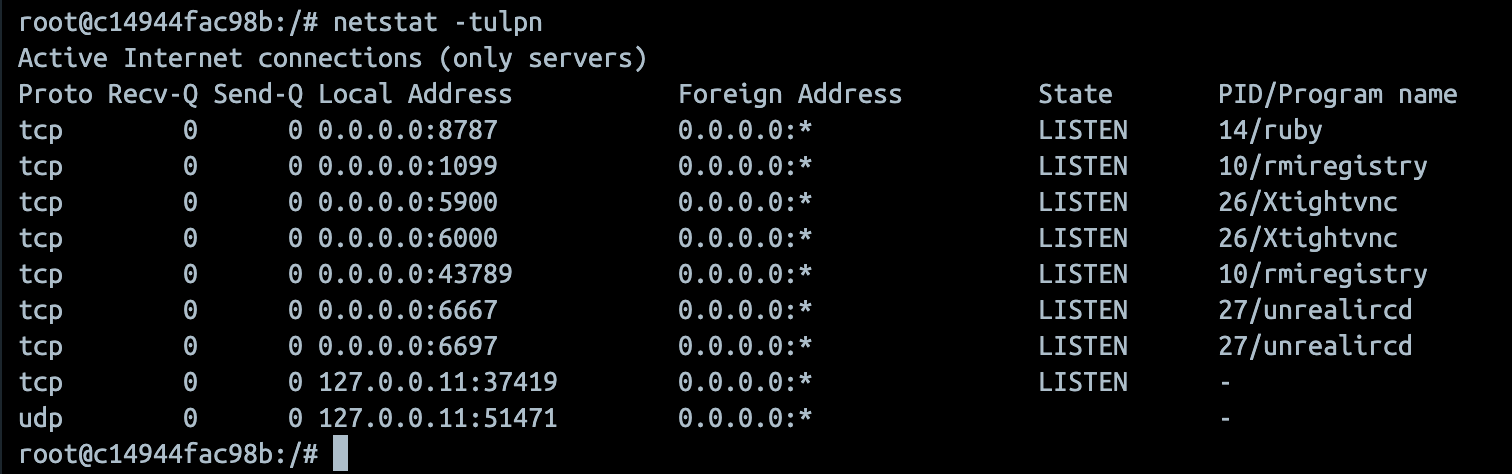
Once the containers were up, I checked the network and logged into the vulnerable Linux box to see what was listening.
docker network inspect security-lab   # check which containers are on the same network
docker ps   # list running containers
docker exec -it victim-server /bin/bash   # enter the victim container interactively
netstat -tulpn   # show listening ports and processes inside the container
First scan
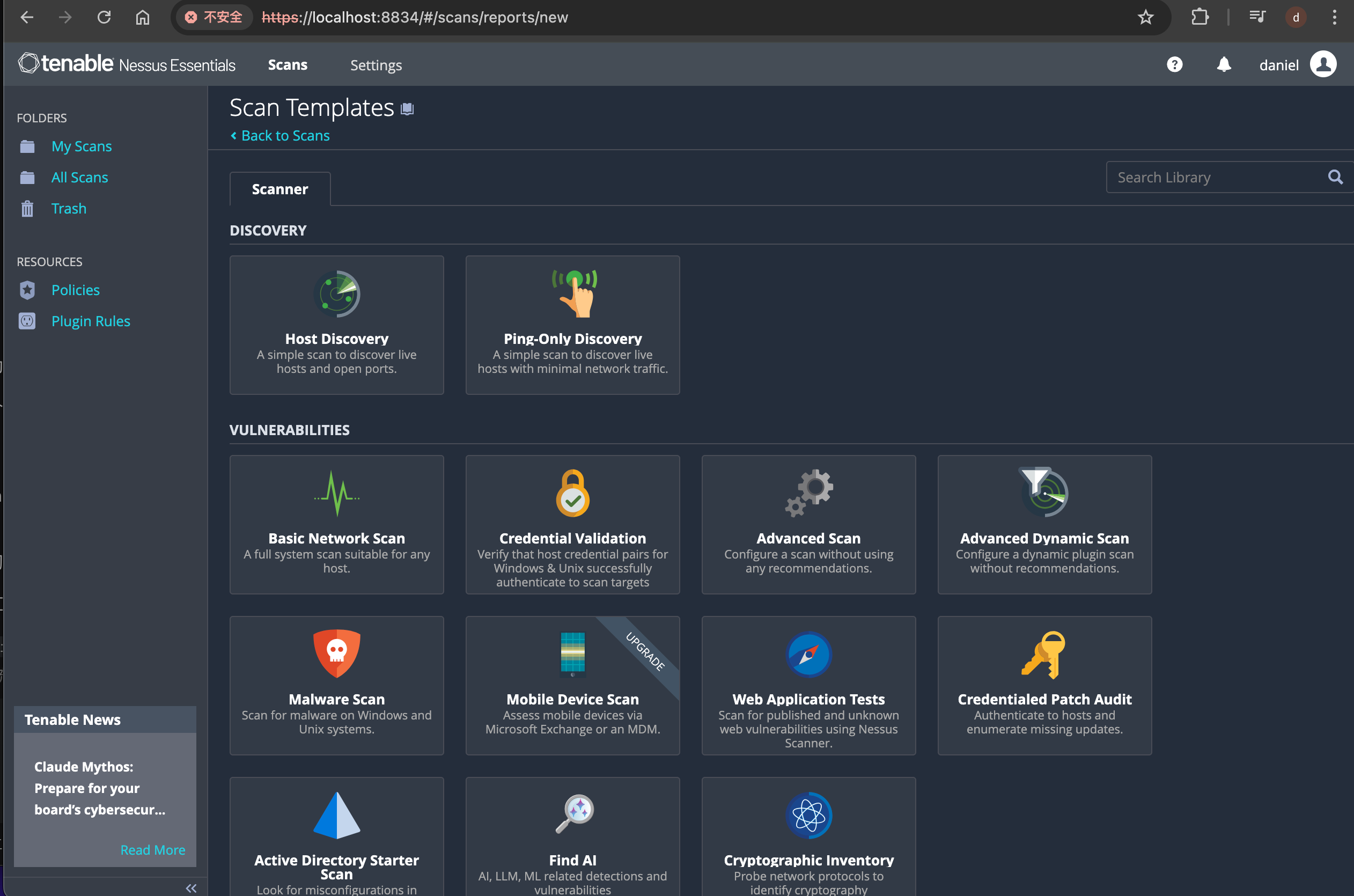
I opened Nessus at https://localhost:8834, finished the registration, and started with a Basic Network Scan. For this lab, that was enough to give me a first look at the attack surface without adding too much noise.
The targets were just the container names, because both services were already on the same Docker network and Nessus could resolve them directly.
The first result was not surprising. Metasploitable2 produced a few serious findings, while Juice Shop mostly showed information-level results. That was about what I expected from a network scan, because it can see exposed services but still cannot tell much about the web app itself.
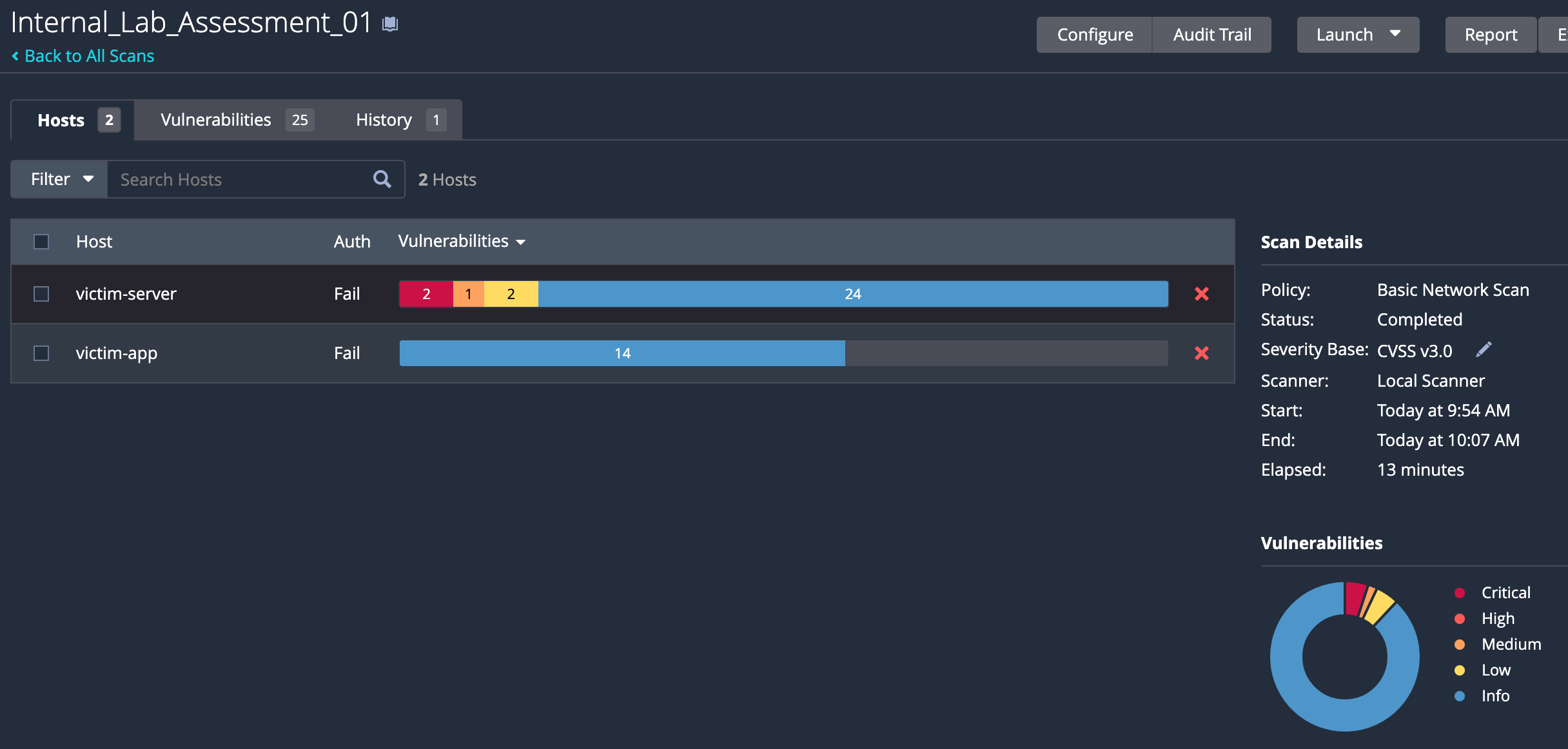
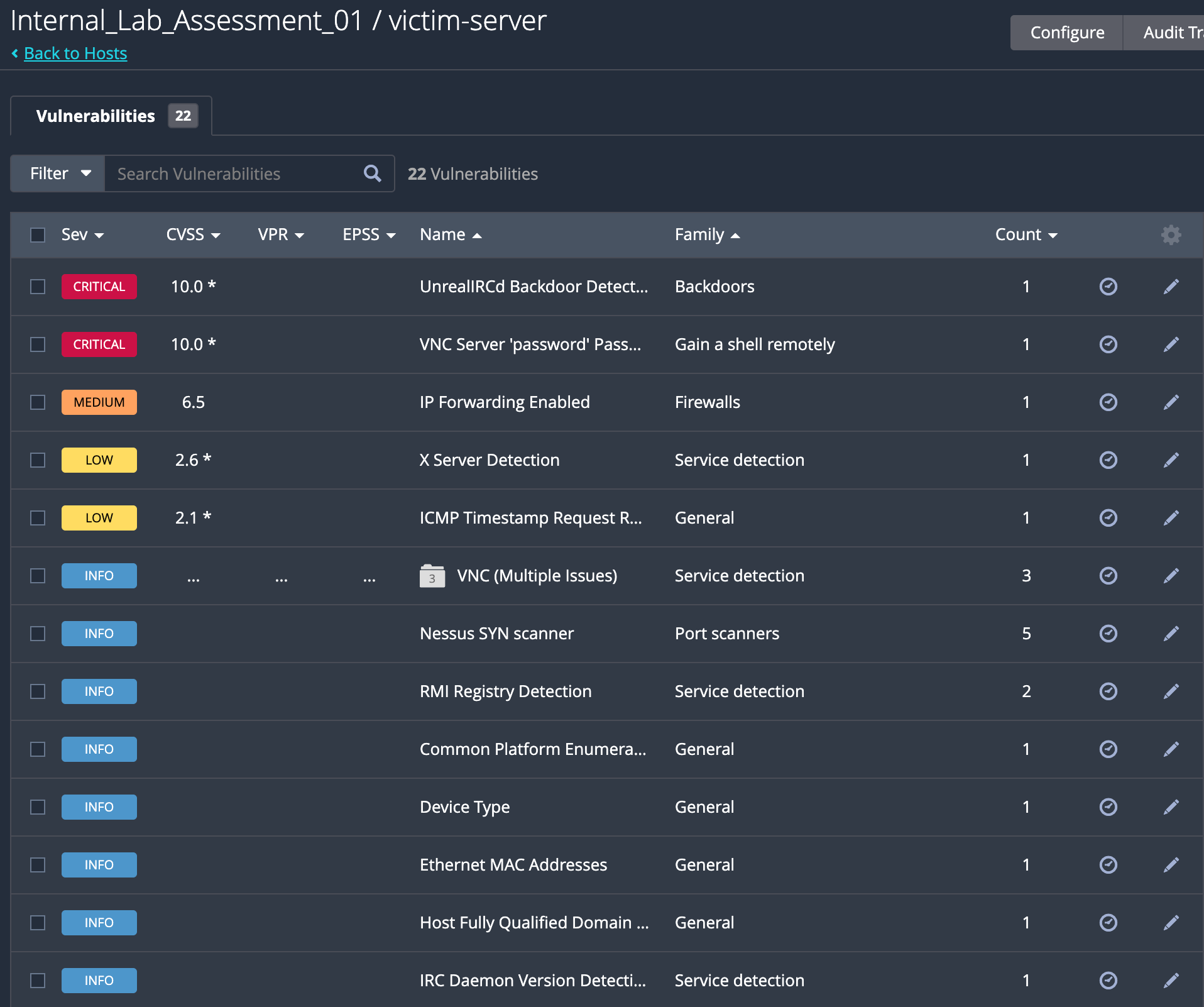
What I paid attention to here was not the exact count of findings, but the shape of the report. Auth: Fail told me the scan was still unauthenticated, so Nessus was only looking at the outside of the box. That is useful, but it is not enough if I want a more realistic view of the host.
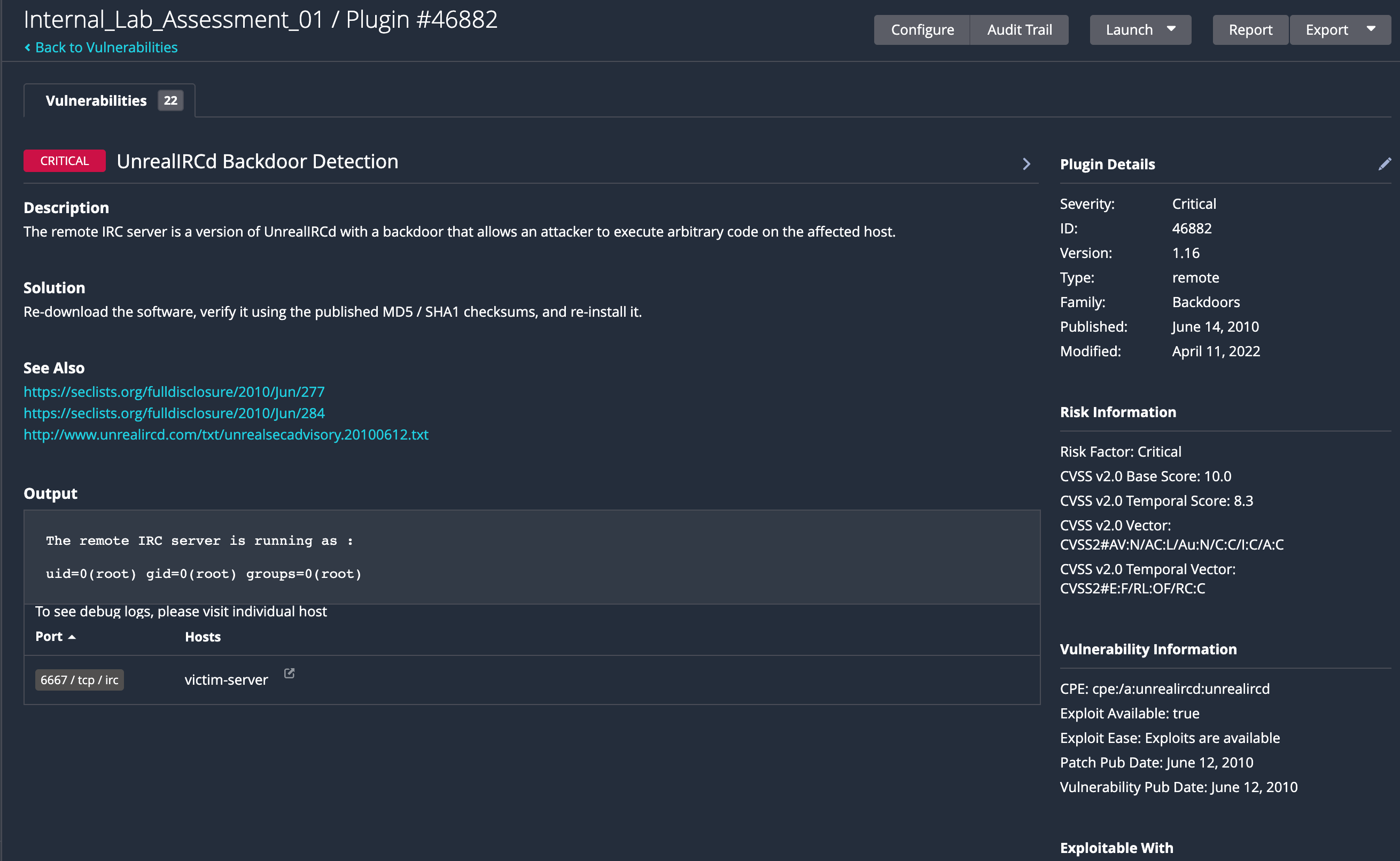
One of the findings was the UnrealIRCd backdoor. That kind of issue is a good reminder that old services are often dangerous for a reason, and if a service like that is still reachable, the box is already in a bad state.
Adding credentials
The next step was to let Nessus in.
Metasploitable2 makes that straightforward because the default SSH credentials are well known:
msfadmin / msfadmin
So I went back to the scan configuration, opened Credentials, selected SSH, switched to password authentication, entered the credentials, saved it, and launched the scan again.
That second run matters more than the first one. A credentialed scan does not just confirm that a port is open; it gives you a much better view of the host from the inside, which is closer to how I would want to look at it in a real assessment.
Watching the logs
I also added Dozzle to the same network so I could watch container logs without opening another heavy tool.
docker run -d --name log-monitor -p 8888:8080 --network security-lab -v /var/run/docker.sock:/var/run/docker.sock amir20/dozzle:latest # mount the Docker socket so Dozzle can read container logs
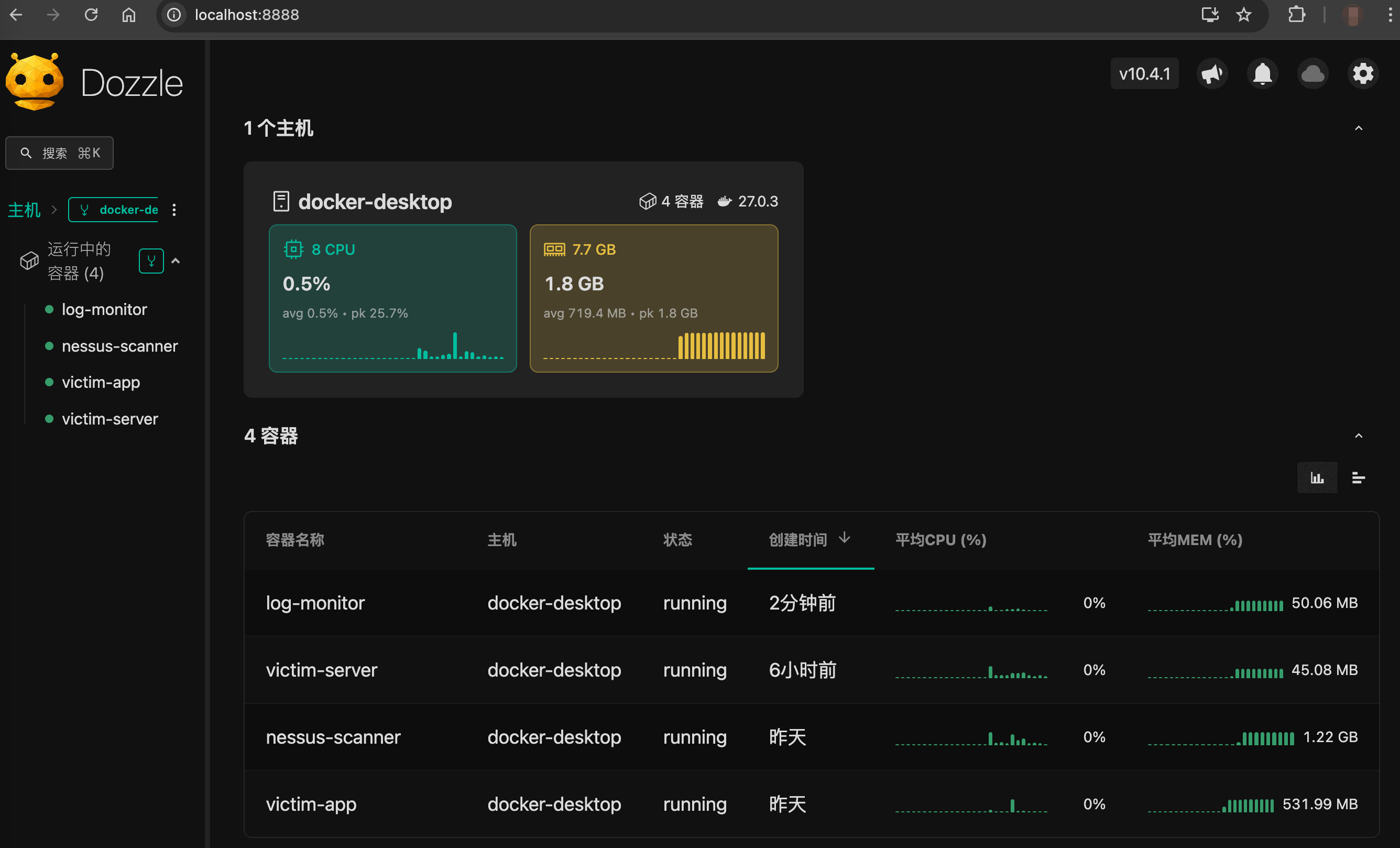
It is not a SIEM, and I did not use it like one. It was just a quick way to see whether anything noisy happened on victim-server or victim-app while Nessus was running.
Fix one of the findings
The UnrealIRCd backdoor was a good candidate for a quick fix, so I went into the container and verified the issue.
docker exec -it victim-server /bin/bash   # enter the victim container

sudo netstat -anpt | grep 6667   # check if the backdoor is still listening on port 6667
Then I stopped the service and verified that it was no longer listening.

sudo killall unrealircd
or
sudo /etc/init.d/unrealircd stop
After that, I ran the scan again to see how the report changed. The UnrealIRCd finding was gone, but there were still some other issues to look at, but it is not high leakage, so I will leave it for now.
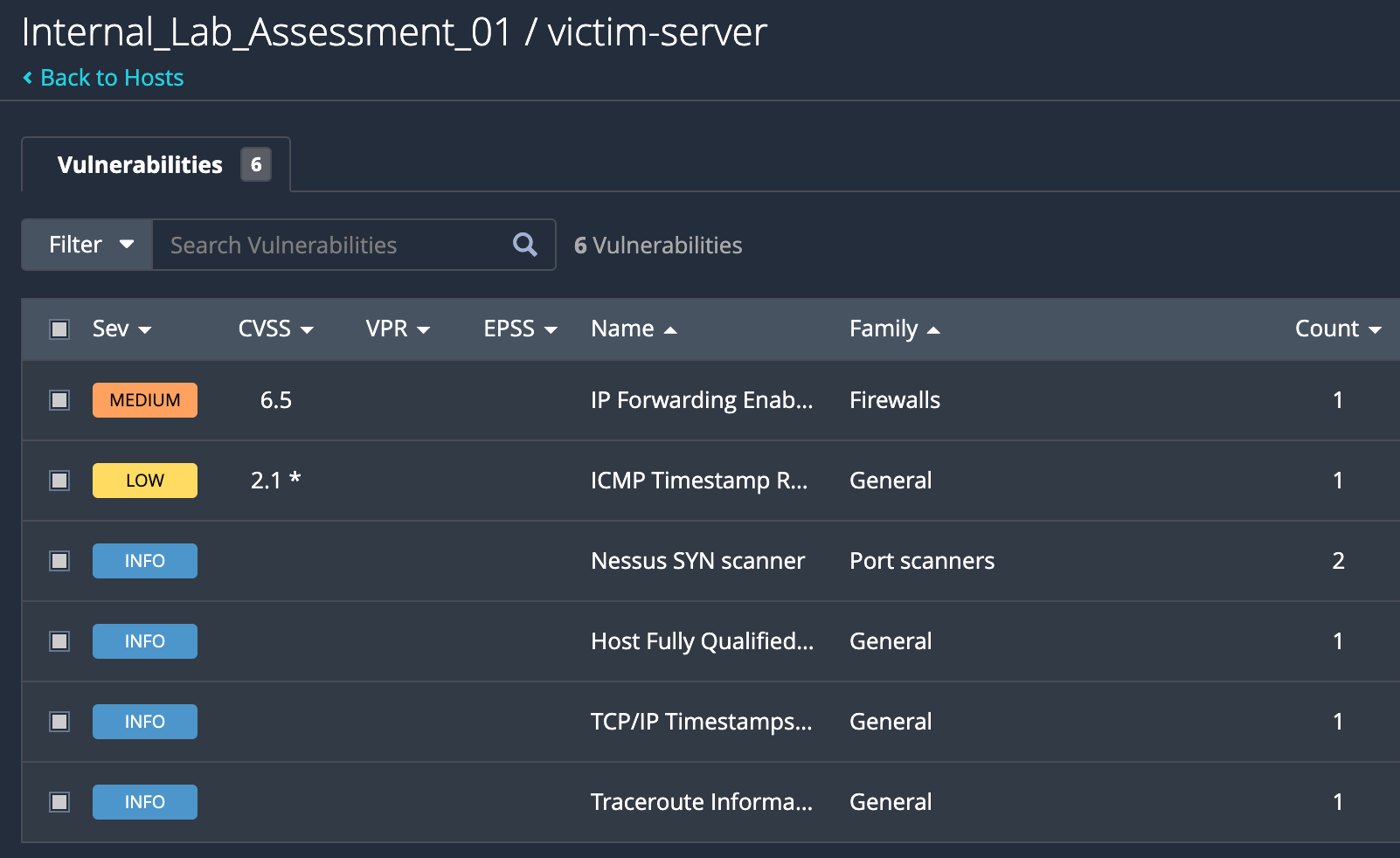
The rest of the work would be to build a classification of the findings, prioritize them, and then build a management and dispatching process to make sure they get fixed in a reasonable time frame and correspond team members to the right issues.
What I learned
This was pretty simple, but it still showed the main point clearly. A network scan gives you the shape of the target, a credentialed scan gives you a deeper view, and log watching helps you connect what the scanner sees with what the system is actually doing.
I will probably try Loki and Grafana next time, since Dozzle is good for a quick look but not enough if I want to keep history and compare patterns later.